
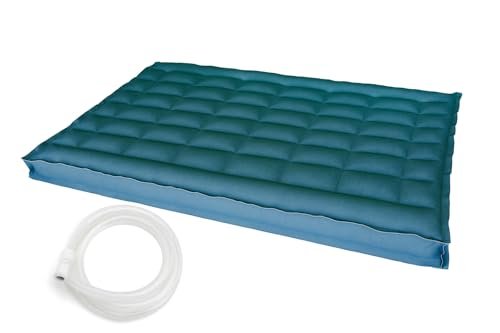

Everything About Your Sleep Number P5 Smart Bed: A Complete Beginner’s Guide to Smarter Sleep
Welcome to the world of personalized comfort and smarter sleep! If you’ve just acquired a Sleep Number P5 Smart Bed, or are simply curious about what this innovative sleep system can do, you’re in for a treat. This isn’t just a bed; it’s your personal sleep sanctuary, designed to understand and adapt to your unique needs.
Navigating the features of a smart bed for the first time can seem a little daunting, but don’t worry! This comprehensive beginner’s guide will walk you through everything you need to know, from understanding its core technology to finding your perfect comfort setting and utilizing its powerful sleep-tracking capabilities. Get ready to unlock the secret to truly restorative sleep!
Understanding Your Sleep Number P5 Smart Bed: The Basics of Better Rest
The Sleep Number P5 Smart Bed is engineered to deliver a personalized sleep experience unlike any other. It combines innovative technology with luxurious comfort to help you achieve your best possible rest. But what exactly makes it “smart”?
- Your Sleep Number® Setting: This is the heart of your bed’s personalization. It represents your ideal firmness level, ranging from 0 (softest) to 100 (firmest). No more guessing what feels good – your bed learns what’s perfect for you.
- Responsive Air™ Technology: This incredible system automatically senses your movements throughout the night and subtly adjusts the mattress firmness to maintain your desired Sleep Number® setting. It’s like having a personalized comfort concierge working while you sleep!
- DualAir™ Adjustability (for couples): If you share your bed, each side has independent air chambers. This means you and your partner can each set your own ideal Sleep Number® setting, without compromising on comfort. Say goodbye to sleep compromises!
- SleepIQ® Technology: This integrated system tracks key aspects of your sleep, including your breathing, heart rate, and movement. It then translates this data into actionable insights and a personalized SleepIQ® score, helping you understand and improve your sleep habits. It’s your personal sleep coach, right in your bed.
The Benefits of a Smart Bed:
Beyond the cool technology, the real magic of your Sleep Number P5 lies in the benefits it delivers:
* Personalized Comfort: No more one-size-fits-all sleep. Your bed adjusts to your body.
* Improved Sleep Quality: By finding your optimal firmness, you reduce pressure points and toss-and-turn less, leading to deeper, more restorative sleep.
* Data-Driven Insights: Understand how you sleep and learn what factors influence your rest, empowering you to make healthier choices.
* Enhanced Well-being: Better sleep translates to more energy, better mood, and improved focus throughout your day.
Getting Started: Setting Up Your Sleep Number P5 Smart Bed (Initial Steps)
While professional setup is often included or highly recommended, there are a few things you, as the user, will need to do to get your Sleep Number P5 Smart Bed ready for its debut.
-
Ensure Proper Placement and Power:
- Foundation First: Your Sleep Number P5 requires a solid, flat foundation to perform optimally. Whether it’s a Sleep Number base or another sturdy platform, ensure it’s level and stable.
- Power Up: Locate the power cord and plug it into a functioning wall outlet. Ensure the power base is easily accessible for future adjustments or troubleshooting. You’ll know it’s powered when you see indicator lights (if applicable) or when the remote/app connects.
-
Connecting to the SleepIQ® App: Your Command Center
The SleepIQ® app is your primary interface for controlling your bed and accessing your sleep data.- Step 1: Download the App: Search for “SleepIQ” in your smartphone’s app store (iOS or Android) and download it.
- Step 2: Create Your Account: Open the app and follow the prompts to create a new SleepIQ® account. You’ll typically need to provide an email and create a password.
- Step 3: Pair Your Bed: The app will guide you through the process of connecting to your P5 Smart Bed. This usually involves:
- Ensuring Bluetooth is enabled on your smartphone.
- Following on-screen instructions to select your bed model.
- The app will search for and connect to your bed. Make sure your bed is powered on and within close proximity to your phone during this process.
- Step 4: Complete Profile Setup: You’ll likely be asked for some basic information (age, gender, height, weight). This helps SleepIQ® personalize your insights.
-
Initial Familiarization:
Once connected, take a moment to explore the app. You’ll see options to adjust your Sleep Number® setting, view sleep data (though you won’t have any yet!), and access other features.
Finding Your Perfect Sleep Number® Setting: A Step-by-Step Guide
This is arguably the most crucial step to unlocking truly personalized comfort. Your Sleep Number® setting is a numerical representation of your ideal firmness.
- What is Your Sleep Number® Setting? It’s a personalized comfort level from 0 (softest) to 100 (firmest). It’s designed to provide optimal spinal alignment and pressure relief for your body.
Here’s how to find it:
- Step 1: Lie Down Comfortably: Get into your most common sleeping position (back, side, or stomach) on your side of the bed. Relax and make sure your entire body is supported.
- Step 2: Access Adjustment Controls: Use either your SleepIQ® app or the physical remote control. You’ll see controls to increase or decrease your Sleep Number® setting.
- Step 3: Start at a Mid-Range and Adjust Gradually: A good starting point is usually around 50 or 60.
- If you start at 50, begin to slowly decrease the number (make it softer) or increase it (make it firmer).
- Make small adjustments, typically 5-10 points at a time.
- Wait a few seconds after each adjustment to allow the air chambers to fully respond and your body to feel the change.
- Step 4: Focus on Support and Pressure Relief: As you adjust, pay attention to:
- Spinal Alignment: Does your spine feel straight, especially when lying on your side?
- Pressure Points: Do you feel any excessive pressure on your hips, shoulders, or lower back? Your ideal setting should feel like your body is evenly supported, almost floating.
- Comfort: Is it simply comfortable? You want that “just right” feeling.
- Step 5: Experiment Over Several Nights: Your perfect Sleep Number® setting isn’t usually found in one sitting. Spend at least 3-5 nights at a setting you think feels good. Pay attention to how you feel each morning.
- Tip: If you wake up with back pain, try adjusting by 5-10 points firmer. If you feel pressure on your shoulders or hips, try going 5-10 points softer.
- Tip for couples: Both partners should go through this process independently to find their own optimal settings.
Remember: Your body changes, and so might your ideal setting! Don’t be afraid to fine-tune it over time.
Mastering SleepIQ® Technology for Better Sleep
SleepIQ® isn’t just about tracking; it’s about understanding and improving. Your P5 Smart Bed, combined with the app, offers powerful insights.
- What SleepIQ® Tracks: While you sleep, sensors in your bed monitor your breathing, heart rate, and movements. This data is collected without any wearables required.
- Understanding Your SleepIQ® Score: Each morning, you’ll receive a personalized SleepIQ® score, typically out of 100. This score reflects the quality of your sleep based on various factors like sleep duration, restlessness, and consistency. It’s a quick snapshot of how well you slept.
- Interpreting Your Data: Dive deeper into the app to see detailed graphs and information about your sleep patterns.
- Look for trends over days and weeks. Do you sleep better on weekends? After exercise? After a light meal?
- Identify periods of restlessness or when your heart rate might have been elevated.
- Actionable Insights: SleepIQ® doesn’t just show you data; it offers personalized tips and suggestions based on your unique sleep patterns. This might include advice on bedtime routines, sleep environment, or even suggesting a slight adjustment to your Sleep Number® setting.
- Use the insights to experiment. For example, if your score is consistently lower after late-night snacks, try to avoid them. If you notice improved sleep after a certain firmness, stick with it for a while.
Tip: Don’t obsess over one night’s SleepIQ® score. Fluctuations are normal. Focus on the overall trends and how you feel physically and mentally after a series of nights.
Advanced Tips for Optimizing Your Sleep Number P5 Experience
Once you’re comfortable with the basics, here are some ways to get even more out of your smart bed:
- Consistency is Key: Once you find a Sleep Number® setting that feels good, stick with it for at least a week before making further adjustments. This gives your body time to adapt and allows you to accurately assess its impact on your sleep.
- Integrate with Your Routine: Think of your Sleep Number P5 as part of your overall wellness routine. Consider winding down in bed with a slightly softer setting for relaxation, then adjusting it for sleep.
- Seasonal and Lifestyle Adjustments: Your ideal setting might change! During warmer months, you might prefer a slightly firmer setting. If you gain or lose a significant amount of weight, or experience a new injury, you might need to re-evaluate your setting. Your body is dynamic, and your bed can be too.
- Troubleshooting Basics: If something feels off (e.g., bed isn’t responding, app won’t connect):
- Check power connections.
- Restart the SleepIQ® app on your phone.
- Restart your phone’s Bluetooth.
- Most minor issues can be resolved with these simple steps.
Common Mistakes to Avoid with Your Sleep Number P5 Smart Bed
To ensure you get the most out of your investment, be mindful of these common pitfalls:
- Changing Your Sleep Number Too Frequently: Constantly adjusting your setting prevents your body from truly adapting and makes it harder to identify what works best. Give each setting a fair trial period (several nights).
- Ignoring SleepIQ® Data: While not every night’s score is critical, overlooking patterns and personalized insights means you’re missing out on a powerful tool for self-improvement. Regularly check your trends.
- Expecting Instant Perfection: Finding your “perfect” Sleep Number® setting is a journey, not a destination. It takes time and experimentation. Be patient with yourself and the process.
- Not Ensuring a Proper Foundation: Using an old, uneven, or unsupportive base can compromise the performance of your smart bed, affecting both comfort and the accuracy of SleepIQ® technology. Always use a sturdy, level foundation.
- Overlooking App Updates: Sleep Number frequently updates the SleepIQ® app with new features, improved performance, and bug fixes. Keep your app updated to ensure the best experience.
- Not Calibrating (if prompted): While many modern smart beds auto-calibrate, some situations (like a power outage or moving the bed) might prompt a manual calibration through the app. Always follow any calibration instructions the app provides.
Maintenance and Care for Longevity
Taking good care of your Sleep Number P5 Smart Bed will ensure it continues to provide optimal comfort for years to come.
- General Cleaning: Follow the manufacturer’s specific guidelines for cleaning your mattress cover and base. Typically, spot cleaning with mild soap and water is recommended for spills. Avoid harsh chemicals that could damage the fabric or internal components.
- Keep Your App Updated: As mentioned, regular app updates improve functionality and address potential issues.
- Remote Control Care: If you use a physical remote, keep it in a safe place, replace batteries as needed, and protect it from spills or impacts.
- Protect from Pet Damage: If you have pets, consider a protective mattress cover to prevent punctures or scratches to the mattress surface.
Conclusion: Your Journey to Smarter Sleep Starts Now
Your Sleep Number P5 Smart Bed is more than just a place to rest; it’s a sophisticated system designed to revolutionize your sleep. By understanding its core technologies, diligently finding your personalized Sleep Number® setting, and leveraging the insights from SleepIQ® technology, you’re well on your way to experiencing the profound benefits of truly restorative sleep.
Embrace the journey of discovery, be patient, and enjoy the unparalleled comfort and data-driven insights your P5 Smart Bed provides. Here’s to countless nights of incredible sleep and waking up refreshed, energized, and ready to take on the day!
FAQ
Q. What is the Sleep Number p5 Smart Bed?
A. The Sleep Number p5 Smart Bed is an advanced air mattress system that allows for personalized comfort and sleep tracking. Unlike traditional mattresses, it uses adjustable air chambers that you can inflate or deflate to find your ideal firmness level, known as your “Sleep Number” setting, ranging from 0 to 100. It also integrates with SleepIQ technology to monitor your sleep patterns.
Q. How does the Sleep Number p5 allow for personalized comfort?
A. The p5 achieves personalized comfort through its innovative DualAir™ technology. This means the mattress has two distinct air chambers, one for each side of the bed. Each sleeper can independently adjust the firmness of their side using a wireless remote or the SleepIQ app, ensuring both partners can find their perfect level of support and pressure relief without affecting the other.
Q. What does the “p5” signify in the model name, and what are its key features?
A. The “p” in p5 stands for “Performance,” placing it within Sleep Number’s series designed for enhanced comfort and support. The “5” indicates its specific comfort layer thickness and feature set within that series. Key features of the p5 typically include a plush comfort layer designed for pressure relief, responsive air chambers for precise firmness adjustments, and integrated SleepIQ technology for sleep tracking and insights.
Q. What is SleepIQ technology and how does it help improve my sleep?
A. SleepIQ technology is the built-in smart system within the Sleep Number p5 bed. It uses sensitive sensors to track key biometrics like your heart rate, breathing, and movement throughout the night, all without requiring you to wear any devices. The data is analyzed to provide a daily SleepIQ® score and personalized insights via the SleepIQ app, helping you understand your sleep patterns and make informed adjustments to improve your rest.
Q. Is it possible for two people to have different comfort settings on the same p5 bed?
A. Yes, absolutely! This is one of the most celebrated features of the Sleep Number p5 Smart Bed, thanks to its DualAir™ technology. Each side of the bed functions independently, allowing you and your partner to set your individual Sleep Number settings to your preferred level of firmness and support, ensuring both of you experience personalized comfort without compromise.
Q. How do I adjust my Sleep Number setting, and how do I find my ideal number?
A. You can adjust your Sleep Number setting using the included wireless remote control or through the SleepIQ app on your smartphone. To find your ideal number, lie in your preferred sleeping position and adjust the number up or down in increments of 5 or 10. Pause for a few minutes at each setting to allow your body to adapt and feel the support. Your ideal Sleep Number should provide comfortable, conforming support without creating pressure points, keeping your spine naturally aligned. Many people find their ideal setting between 30 and 60, but it is a highly personal preference.
Q. What kind of support and pressure relief can I expect from the p5 model?
A. The Sleep Number p5 Smart Bed is engineered to deliver excellent support and pressure relief tailored to your body. Its adjustable air chambers conform precisely to your unique curves, providing consistent head-to-toe support at any Sleep Number setting. The p5 model specifically incorporates a comfort layer, often made of a conforming foam, which enhances pressure relief by cushioning your body and distributing weight evenly, effectively alleviating common pressure points like the shoulders and hips.
Related Articles
Complete Guide: Can I Use An Adjustable Base With My Bed Frame?
The allure of an adjustable bed base is undeniable. Imagine reading in bed with your head perfectly propped up, alleviating snoring with a slight incl…


Leave a Reply
You must be logged in to post a comment.